Literary Chat AI Book Character Conversations
A full-stack AI web application for dynamic conversations with literary characters. Users upload PDF books; the system uses Google Gemini AI for automatic character and metadata extraction, leveraging RAG for context-aware, multilingual chats with detailed, opinionated character personas.
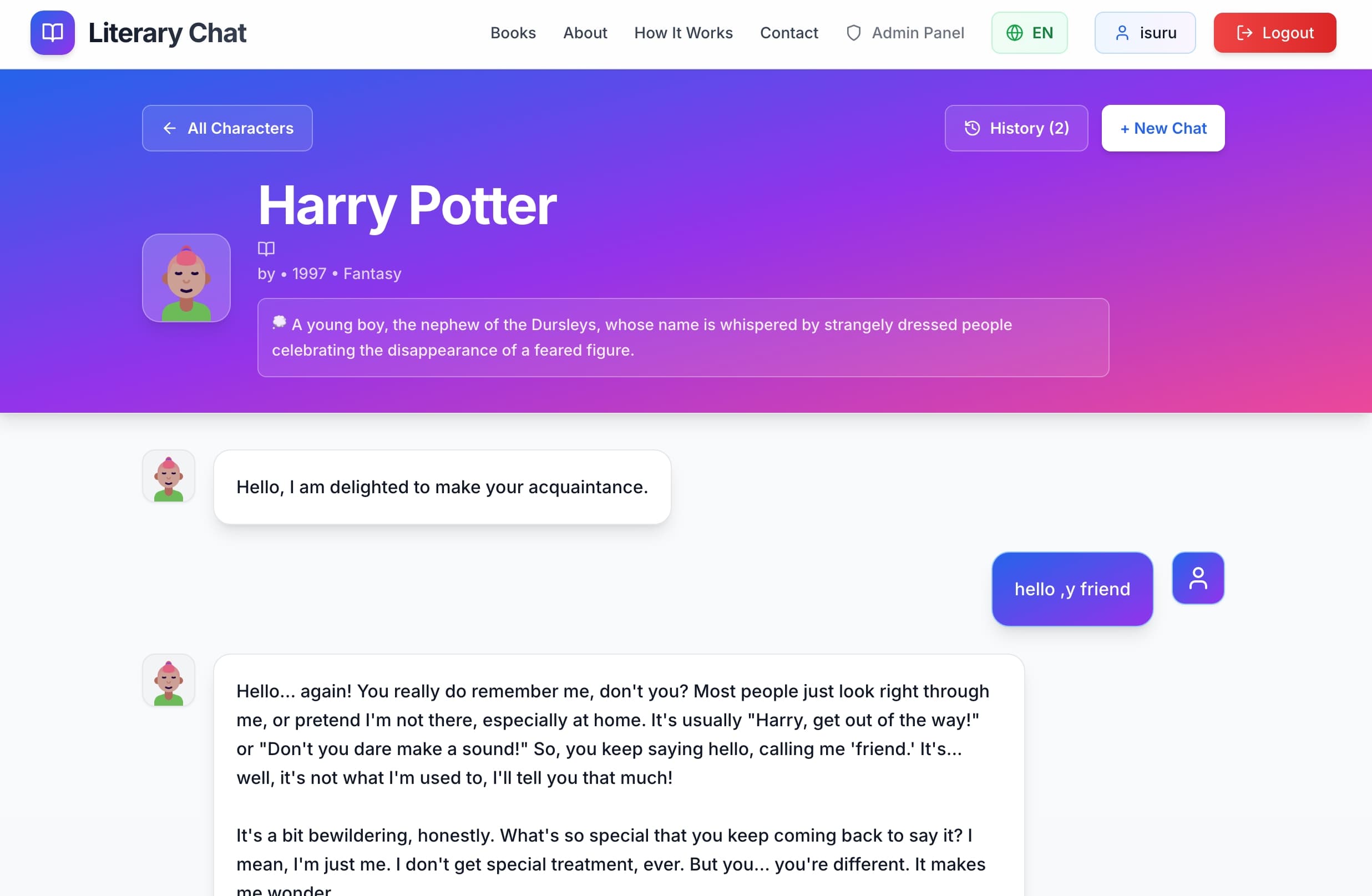
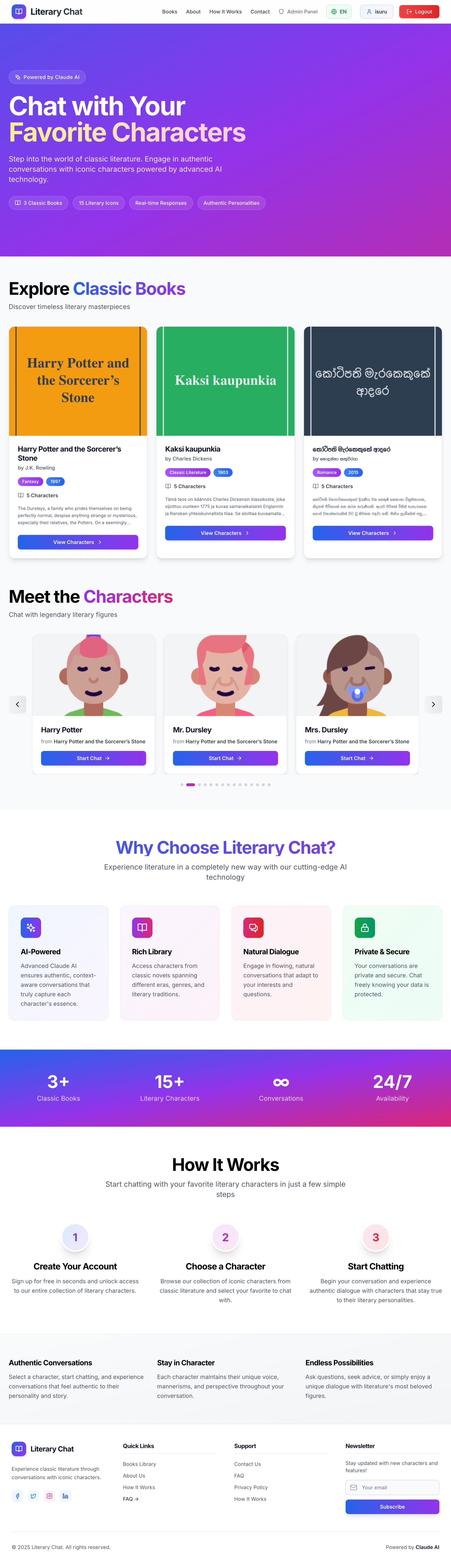
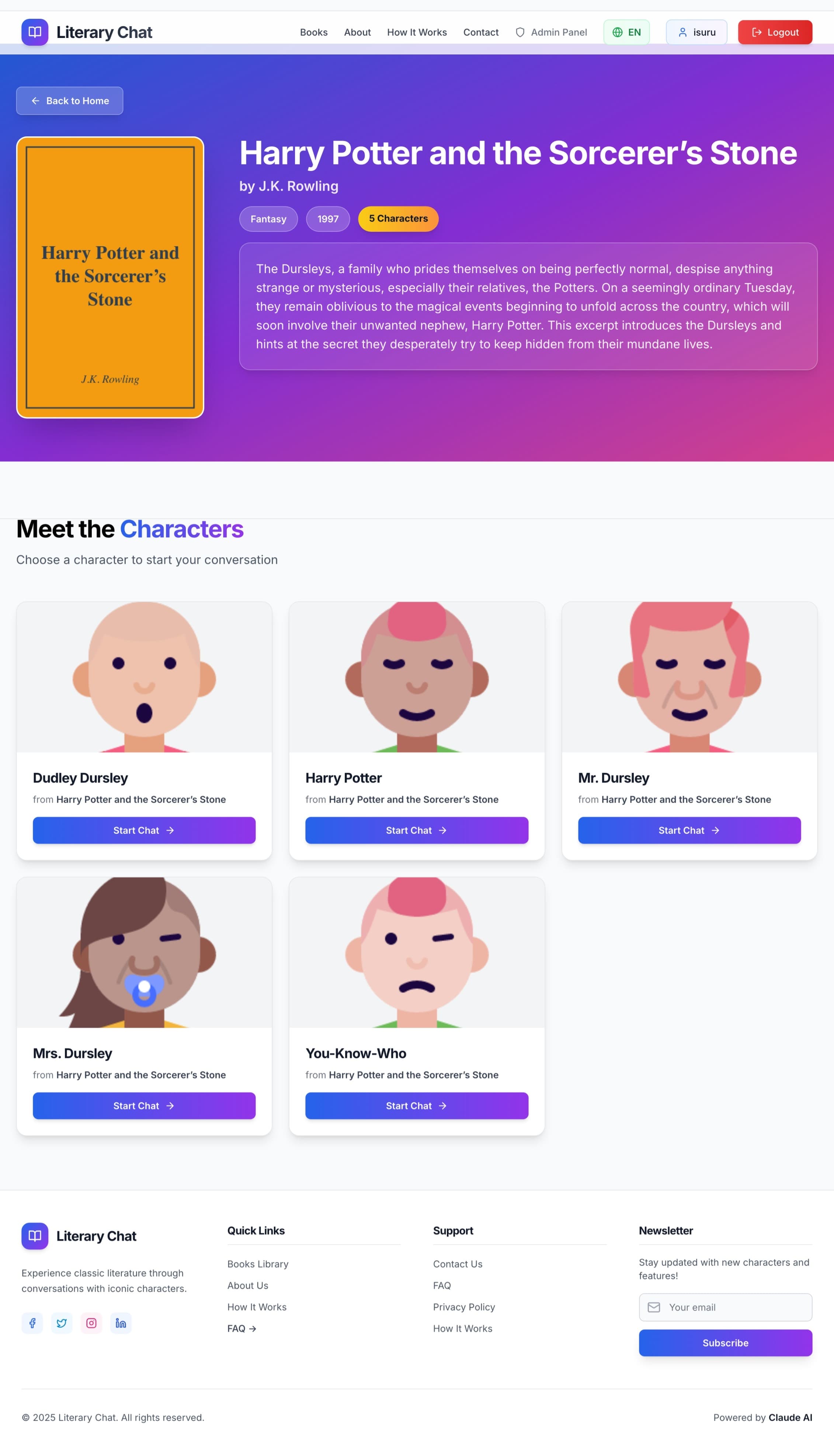
Project Overview
Literary Chat is a full-stack web application that revolutionizes how readers engage with literature by enabling AI-powered conversations with book characters. The platform combines cutting-edge AI technology with intuitive design to create authentic, context-aware interactions with literary personas.
Built with Google Gemini AI and powered by Retrieval-Augmented Generation (RAG), the system automatically extracts characters from uploaded PDFs, generates detailed personas, and facilitates natural conversations in multiple languages. Each character maintains their unique voice, opinions, and personality traits, creating engaging dialogues that feel true to the source material.
Key Features
PDF Book Upload
Upload books in PDF format. The system extracts text, generates cover images, and automatically extracts metadata including title, author, genre, and publication year.
AI Character Extraction
Google Gemini AI automatically identifies main characters from uploaded books, extracting names, descriptions, and relationships for seamless character discovery.
Opinionated Character Personas
Characters express strong opinions, emotions, and personality traits. Each persona is deeply analyzed for voice, manner of speech, worldview, and emotional patterns.
RAG Integration
Retrieval-Augmented Generation ensures context-aware responses. Book content is chunked and stored for precise, relevant character interactions based on source material.
Multilingual Support
Chat in English, Sinhala, Finnish, and more. Characters respond in the same language as the user's message, powered by i18next internationalization.
Conversation History
Persistent chat history allows users to continue conversations across sessions. All messages are stored and retrievable for each character interaction.
System Architecture
Book Processing Pipeline
- 1.PDF uploaded → Book record created (status: pending)
- 2.Text extraction from PDF using pdf-parse library
- 3.Content split into chunks (500-1000 bytes each) → BookChunk records
- 4.AI extracts metadata (title, author, genre, year, language)
- 5.AI extracts main characters → ExtractedCharacter records
- 6.Admin reviews and approves characters
- 7.AI generates detailed personas → CharacterPersona records
Chat Conversation Flow
- 1.User selects character → Conversation record created
- 2.User sends message → Message record created
- 3.Backend retrieves relevant book chunks (RAG)
- 4.Character persona + context + chat history sent to Gemini AI
- 5.AI generates response matching character's voice and personality
- 6.Response stored → Message record created
Database Schema
Advanced Features
User Authentication
Secure local authentication with bcrypt password hashing. Optional Google OAuth integration for social login with Passport.js middleware.
Admin Dashboard
Comprehensive admin panel to manage users, books, characters, and AI prompts. Monitor book processing status and review extracted characters before publishing.
Auto-Generated Avatars
Unique character avatars generated using DiceBear API. Beautiful, consistent visual representation for each literary character.
Image Analysis
Upload images during conversations for character analysis. Characters provide insights and opinions about images in their unique voice.
Technical Stack
Frontend
- React 18.2
- React Router DOM 7.9
- Vite 4.3
- Tailwind CSS 3.3
- i18next
- Lucide React Icons
Backend
- Node.js
- Express 5.1
- SQLite (Better-SQLite3)
- Prisma ORM
- Passport.js
- PDF-Parse
AI & Services
- Google Gemini AI
- RAG Architecture
- DiceBear API
- Multer (File Uploads)
How It Works
Create Account & Upload Books
Sign up with email or Google OAuth. Admins upload PDF books which are processed to extract text, generate metadata, and identify characters automatically using Google Gemini AI.
Browse & Select Characters
Explore a rich library of characters from classic and contemporary literature. Filter by book, genre, or author. Each character has a unique avatar and detailed description.
Start Conversations
Chat with characters in any supported language. The AI maintains character authenticity using RAG to reference book content, creating engaging, context-aware dialogues with strong opinions and emotional depth.
Continue & Explore
All conversations are saved. Return anytime to continue discussions with your favorite characters. Upload images for analysis or explore new characters and books.
Challenges & Solutions
Character Authenticity
Challenge: Creating AI personas that truly capture each character's unique voice, opinions, and personality from the source material.
Solution: Implemented detailed persona generation with Google Gemini AI analyzing voice patterns, worldview, emotional expressions, and relationships. RAG integration ensures responses reference actual book content for accuracy.
Multilingual Consistency
Challenge: Maintaining character personality and context across multiple languages while detecting and matching user language automatically.
Solution: AI prompts include language-matching instructions. Frontend uses i18next for UI translation while backend ensures characters respond in the same language as user messages.
Efficient Book Processing
Challenge: Processing large PDF files, extracting text, chunking for RAG, and extracting metadata efficiently without blocking the system.
Solution: Implemented background processing pipeline with status tracking. Books are chunked into 500-1000 byte segments optimized for vector retrieval and AI context windows.
Usage Guide
For Users
- 1.Sign up with email or Google account
- 2.Browse available characters from the home page
- 3.Select a character to start chatting
- 4.Type messages in any supported language
- 5.View conversation history and switch between characters
For Admins
- 1.Access admin dashboard at /admin
- 2.Upload PDF books with cover images
- 3.Monitor book processing status
- 4.Review and approve extracted characters
- 5.Manage AI prompts and system settings
Installation & Development
Installation
# Clone the repository
git clone https://github.com/Is116/ai-chat-fin-stories.git
cd ai-chat-fin-stories

# Install dependencies
npm install

# Set up environment variables
cp .env.example .env
# Edit .env with your API keys and configuration

# Initialize database
npx prisma migrate dev
npx prisma db seed

# Run development servers
npm run dev        # Frontend (http://localhost:3000)
npm run server     # Backend (http://localhost:3001)
Environment Configuration
PORT - Backend server port (default: 3001)
DATABASE_PATH - SQLite database file path
GEMINI_API_KEY - Google Gemini AI API key
SESSION_SECRET - Express session secret
GOOGLE_CLIENT_ID - Google OAuth client ID (optional)
GOOGLE_CLIENT_SECRET - Google OAuth secret (optional)
Key Scripts
npm run devStart frontend development servernpm run serverStart backend servernpm run buildBuild frontend for productionnpx prisma studioOpen Prisma database GUIFuture Enhancements
Multi-Character Conversations
Enable conversations with multiple characters simultaneously, allowing users to witness character interactions and debates.
Voice Conversations
Add speech-to-text and text-to-speech capabilities for voice-based conversations with character-specific voice synthesis.
Advanced Analytics
Track conversation patterns, popular characters, user engagement metrics, and provide insights to improve the experience.
PostgreSQL Migration
Migrate from SQLite to PostgreSQL for better scalability, concurrent access, and support for large-scale deployments.
Explore the Project
Dive into the world of literary conversations. Chat with your favorite book characters powered by cutting-edge AI technology!
View on GitHub